Showing posts with label android apps. Show all posts

Thursday, January 9, 2014

MAPS android app


I love this MAPS android app to bits. Got to know about this after Lin highly recommended it on her blog(efatrie under Links).

This is extremely useful when you need directions. We usually use it for driving though there are also options for buses and/or walking.

What is amazing is that the navigations are directed by voice! A very professional voice which doesnt comes with weird slangs. You dont need your eyes or attention on the phone or map at all. So it's safe. Well, you can of course glance once in a while to see how far are you away from your destination. And the timing and accuracy of the voice directions is very precise. You'll know what I mean after you try it out. Always on your GPS for accurate location. So far it never fails us. It directs you until you reach your destination.

Who needs a GPRS(car device) now?

Blogged from Blogger android app.


Tuesday, November 26, 2013

How to sync pictures/files from your handphone AUTOMATICALLY to your Laptop/PC? Vice versa


INSTEAD OF

1) using a connector to connect your handphone to your laptop/PC to COPY&PASTE
2) setting up WIFI/Bluetooth on both handphone and laptop/PC to transfer files by WIFI/Bluetooth
3) Emailing yourself

MANUALLY, for EVERY picture on EVERY other day,

You can set up a DROPBOX, to automatically sync pictures/files between your mobile and laptop/PC daily. (You might have already know this, as the dropbox app usually comes with android phones. =) )

I've personally tried the other methods before and either they're very troublesome, or they take a much longer time.

This dropbox method will install a dropbox folder each on BOTH your handphone AND laptop/PC.

By doing so, everytime you're back home/office, so long so your handphone is placed within a distance from your laptop/PC(sometimes as ridiculously as you simply just walked past), your pictures/files will AUTOMATICALLY be synced on both your DROPBOX folders on both your handphone and laptop/PC. It works both ways.

For example, if you drag an excel or word file into the DROPBOX folder in your laptop/PC, when your handphone comes close, the same excel/word file will appear in the DROPBOX folder in your handphone. And similarly, any pictures/files in the designated folders will also be synced to the DROPBOX folder in your laptop/PC. Do note if files/pictures on either device gets edited or deleted in that dropbox folder, the same goes to the same dropbox folder in the other device(unless you make another copy in another folder).

Basically, what you have to do;
1) download DROPBOX(the program from https://www.dropbox.com, register and everything) on your laptop/PC

2) download the DROPBOX app on your handphone(register and everything). FYI, I'm using Samsung Note 2(android).


Vickki says Hi!


3) On your laptop/PC, install the DROPBOX folder onto somewhere easily accessible, the desktop maybe.


4) Choose what folders to sync. If you choose Camera Uploads, then EVERY single picture you snap with your handphone camera(in the Camera "folder") gets sync to your laptop/PC AUTOMATICALLY. Very hassle-free. Choose this option if you want ALL your handphone pictures to be in your laptop/PC, ALWAYS.


HOW TO SYNC SELECTIVE PICTURES?

Alternatively, you can choose to sync only selective pictures to save disc space on your laptop/PC. Simply choose/set-up a folder, say, "Dropbox Photos". Just 1 folder, if you're afraid of getting confused. Then, only pictures moved or copied into this "Dropbox Photos" folder in your handphone gets synced to your laptop/PC daily. For mine, for your reference, it's "Photos"(choose this when you're installing DROPBOX program on your laptop/PC)

You can go to your "Gallery", click the pictures which you wanna sync, "Share" via "Add to Dropbox".  When you choose to "Share via Dropbox", even if pictures in the dropbox subsequently gets deleted, the original pictures will still remain in your "Gallery".


Choose your designated "to be synced" folder, for e.g, Photos.


Within the "Photos" folder, you can create subfolders like, "Work Info", "Food" etc, so that it's neater. For e.g, mine are "blog" and "work-info".


Press "ADD" at the bottom. And then it will do it's job.


The pictures will similarly appear in my laptop, in the same exact sub-folders.


DROPBOX can also save your computer-screenshots on your laptop/PC automatically(into it's dropbox folder), so you dont have to open "Paint" program to "Paste" to save it individually.

It's all automaticcccccccc~~~~


I definitely would have to say choosing the "Sync All" option, a.k.a by choosing "Camera Uploads" will be so cool, because you dont even need to shift your pictures or "Share via Dropbox". Everything gets synced automatically.

THEREFORE, you can also choose this option but yet "copy & paste" the pictures you want to keep into another folder in your laptop/PC, and choose to delete those which you wont want in the dropbox folder. To minimize hassle, you can probably do a major cleaning on your laptop/PC once in...maybe few weeks? Depending on your pictures intake.

Alright~ This sounds abit troublesome for the 1st time, but trust me, ONCE AND FOR ALL, you will thank me later when ALL pictures get synced automatically everydayyyyy~ =D


(Disclaimer: I'm no IT expert and I'm just sharing. Please do necessary backups of your pictures/files as I'm not liable for any loss of info during your Dropbox Synchronization. This entry is not paid in any way)


Monday, September 9, 2013

BOMB ME - Android game app


If you know me, you'll know I'm not a fan of games. It's not that I dont like them but my interests die very easily. Hmm..........I do play games but they're word games like Scrabble/Literati, online multiplayer games like Gunbound and Pangya Golf game, Bridge(card game) on Viwawa.com. I also used to play Counterstrike on LAN and Frontline Commando on my Samsung Note 2. Just so you know my gaming style huh....... Candy Crush? Bejewel? Not my thing~ 

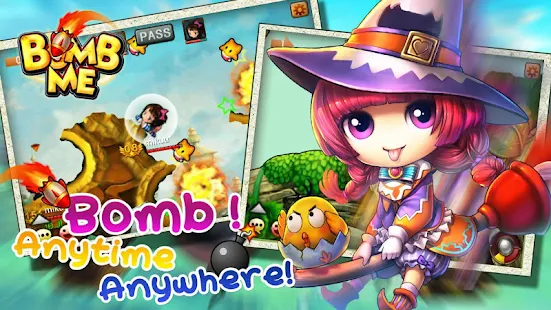
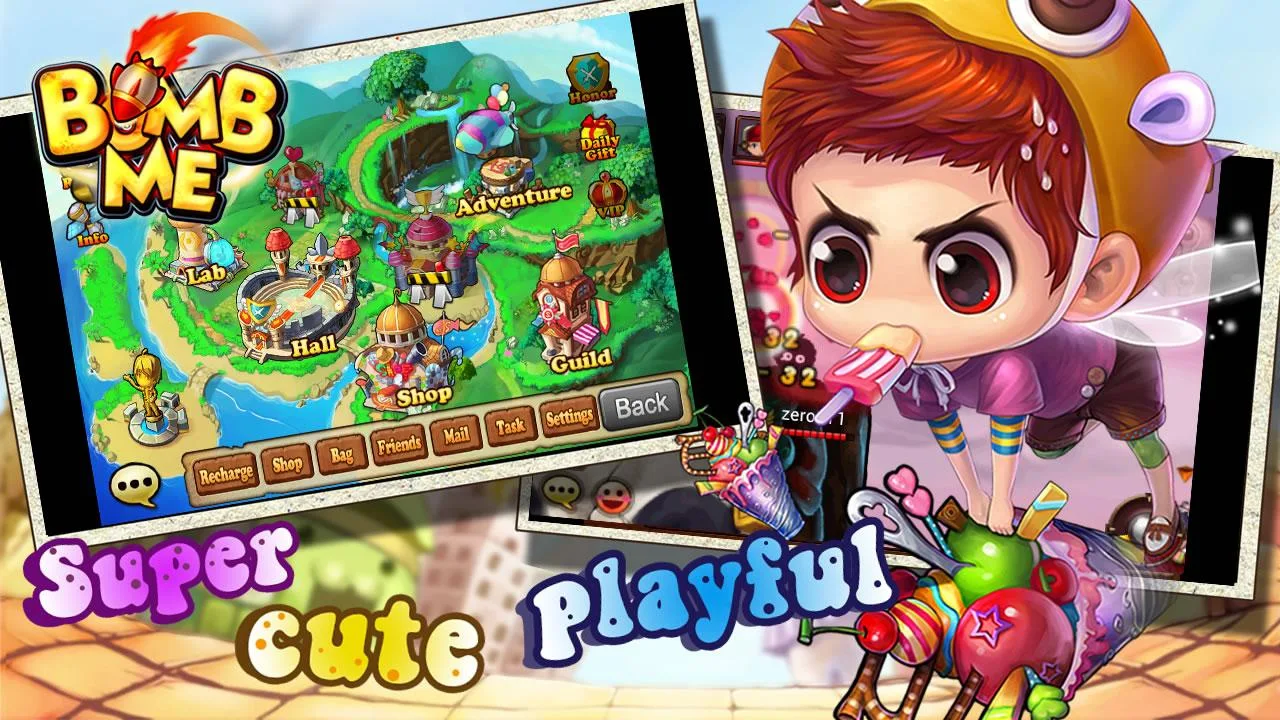
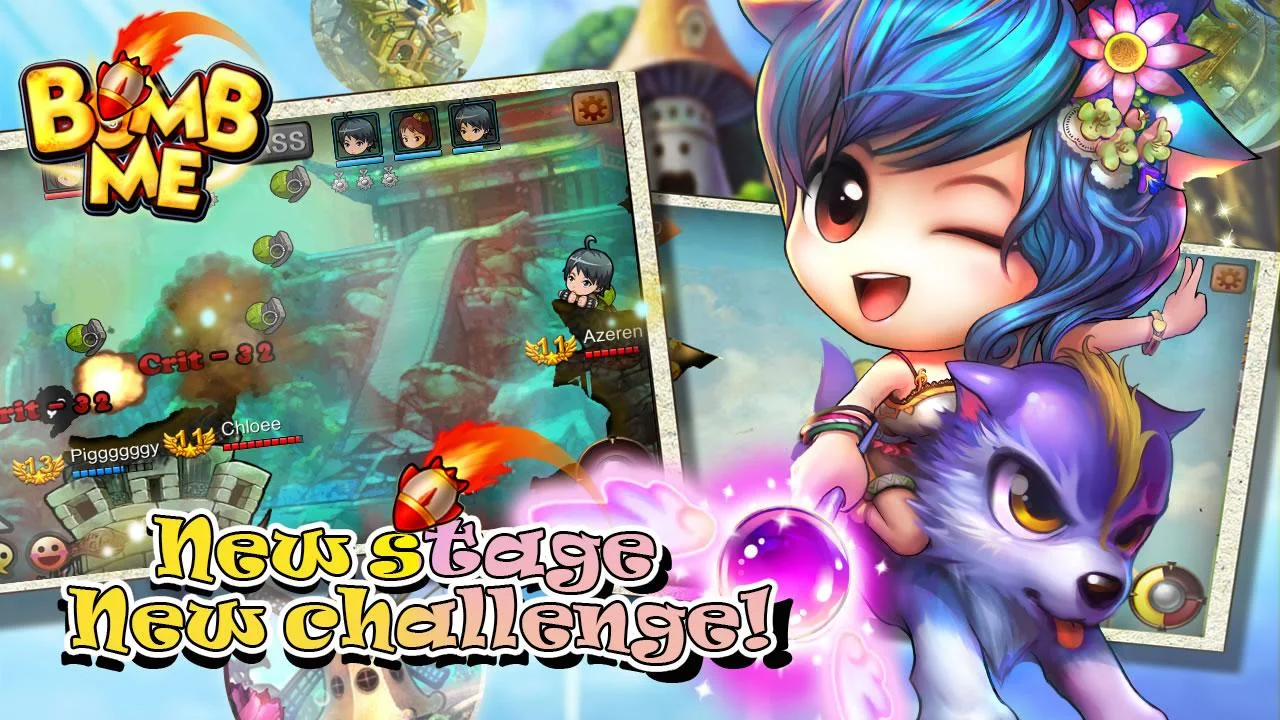
SO! I recently started playing a game call "Bomb Me" on my handphone and it was pretty cute. It's something like gunbound, whereby you just shoot people with different weapons(I think I have a violent nature). The graphics are cute and vibrant. Considering a phone app, it does awe me. I think it's good to pass out time. Naturally there are the level up and upgrade your weapons stuffs.


Bomb Me - screenshot thumbnail

Bomb Me - screenshot

Bomb Me - screenshot

Bomb Me - screenshot


Bomb Me - screenshot

I've also just started playing only so also cant tell you much~

Their facebook here, https://www.facebook.com/vsplaybm and website here, http://bombme.vsplay.com/

Hmm.......but the rather irritating thing is.......I've played 3 games so far, 1 solo(meaning 1 VS 1) and 2 team games......but I was disconnected so easily from the 2 team games and so I didnt complete them. I wonder its because my connection is lousy or that the server of the game is weak.

In any case, feel free to add me, Kaori89. Hee hee~


Tuesday, September 3, 2013

BeautyPlus App (Android)


Recently I came across this android phone app, BeautyPlus recommended by my friend on facebook.


And I'm really loving one of it's filters, call "Sweet". 

Not only it brightens and smooths out any graininess of your pictures as well as your skin with just 1 click(hee!), it gives this pinkish and sweet hue that makes it look kinda romantic(without looking overly blur and fake). =P


                                   Original                                                           Filter - Sweet             

In fact, dearie's complexion and skin tone is more like so in the filtered picture(he is pretty fair one).

Maybe not super sharp semi-pro/DSLR quality here, but since the pictures are taken with my Samsung Note 2, I'm already pretty satisfied with it. The other 3 filters which I like are; Natural, Fairy, Fresh.

If you wish for more control in skin smoothing, then there is the "Skin" icon, where you can adjust for "Smoother/Whitening/Tone" in varying degrees. I feel the effect is pretty natural too. =)


Edited with BeautyPlus ["Natural" filter + "Enlarger" on right eye(your left)]
Natural eh? Heh!

And I have to say I simply love the "Enlarger(Eye)" function. Not because I love to edit my eyes to be super big(I see no point to edit your pictures until you dont even look like yourself), BUT it's because most of the times when I smile, my eyes will shrink(mi-mi eyes, I'm trying to practice to smile without my eyes shrinking, or at least, have them shrink to the same size. =P) I guess this is pretty common, and I also cant do anything......... But the WORSE thing is, sometimes, not only do they shrink, they become 1 big 1 small. :~( That is just super SAD and UGLY. So I love this function because I can use it to enlarge my right eye(on your left), which is smaller than my left eye, so that they look the SAME size. (=.=)zzz. 

The difference in the appearance of the size is actually because of my double eyelid fold(one is higher while one is more inner). That is why you'll see even though I use the same falsies on both eyes, my left eye(the bigger eye, which is on your right) looks more prominent with "lashes" even though both eyes have the same falsies on. 

Usually I can use makeup to adjust so that they look the same size, but everytime when I smile...one big and one small again........Sigh.......might be the muscles or something..... =( Of course it's not overly obvious until I look like a freak la...but still obvious in pictures lo. By the way, angles means everything in photography. Usually pictures taken in this angle will make your eyes bigger and your face smaller. =P Granted....I dont always take selfies....maybe once in awhile. 

Well, anyway......I'm not one who always take pictures and I doubt the habit of using this app will lasts....but for the time being, I am indeed loving this app because it's very fuss-free and easy to use. Just choose 1 filter, enlarge my right eye by dotting on it once or twice and I'm done. =) Easy peasy. 

By the way, I did not "brighten" my eyes in this picture although there is this function(call Brighten I think) in this app. I suppose somehow the light were captured in my eyes? Hmm..................

If you've followed my blog long enough....you'll know I just prefer the "natural" style....no matter it's make-up...or any other thing else.....because I'm simply...so natural? Lol.

Anyway, I think you'll like this app too, it's free anyway. =) 

Oh by the way, another android app which I like lately is PhotoFancie, which I use to create collages as in my AUG 2013 favorites. I feel it's super flexible as you can control the sizing, the brightness/colour of the pictures as well as control the different sizing and arrangment of the collage size. 

Thanks for reading!


Wednesday, November 21, 2012

Android theme apps for Samsung Note 2 - GO launcher


Hey guys! Just a quick entry for you. =)

Forgive me if I cant stop raving about Note 2, because I'm really loving it. =D

Oh and I just realized if I blog from my android app, the resolutions of the pictures are small, thus blur. But thank god I dont need to transfer/sync or email them to my laptop for the full size pictures like how I used to with my iPhone. They're simply auto transferred(vice versa 2-way) to my computer's DROPBOX whenever my phone is near my laptop. I can then transfer bigger and clearer pictures to blog. However, the bad point means I'm unable to blog with big and clear pictures if I'm outside with only my Note 2.

I might be slow, but I finally got around to customizing it. And I'm really happy with the results because not only are they pleasing to my eyes, they proved to be extremely useful as well when they came with the added  flexible options and functions.

Firstly, I downloaded GO Launcher at Play Store, which is basically what you download if you wanna change the theme of your phone, including the wallpapers and icons. After you have downloaded GO Launcher, then you can start to browse GO Launcher themes. And here I got mine, Flower Love GO Launcher theme. 


For the panel at the top, you need to download the app, GO weather. Hmm....I am concerned with weather lately as downpours can come so suddenly. But main thing is because I like that the time is magnified in a larger font. Easier to see. Date is there too. 

The 5 icons on the most bottom panel are the HOME buttons but you can actually add more by customizing it. Simply swipe left/right to view more HOME buttons. Like how I added GO SMS PRO, default call, What'sapp and CHROME in the picture below. 


Lowest Panel(from left to right): GO SMS PRO, default call, What'sapp and CHROME.

GO SMS PRO is what you download when you wanna change a different look/theme on your SMS screen. You can browse different themes and download them. For mine(below), I'm using GO SMS Spring Theme. 


So sweet righttttttttttttttttttt??!!! =P


To customize my LOCK screen too, I downloaded GO Locker. 
The theme is also Flower Love. 


Fine, I admit I love pink okayyyyy. So long so I dont wear them. Haha!
Once you swiped the flower kettle(haha), the pattern security will come out(if you choose to lock your phone like mine).

There are other stuff which you can download to further customize your phone, like GO Contacts etc. But it's kinda weird, sometimes there will be error and you have to keep trying to download it successfully. So far, I'm unable to download my theme.  =(


There are many flexible options which you can choose when these apps are downloaded. Sometimes they save you the trouble to download additional apps. For example, they also got a function which is something like task killer. They have the option of pop-up SMS which you can reply there and then. You can schedule SMS as well. It's also much easier to shift your icons from page to page or edit the order of your pages. You need to explore them yourselves. I do know they will use more ram thus shortening my battery life but so far, I feel it's okay leh. Indeed it shortens battery life, but still sufficient for me.

And my favorite android app so far will be, like I mentioned before, GTunes Music Downloader. It's just super awesome to download unlimited mp3 into your playlist. And what's more, some concert versions can be found too. Only bad point is there's bound to be some broken links which causes failed downloads. Although, out of the many which I've downloaded successfully, only 1 song is of a less than great quality. So overall, I'm still super pleased with this app. While I was searching for my fave Coco Lee's tracks, I found 1 song which I've never hear before. I love love love it so much. Especially the chorus!


李玟CoCo-是真的愛你


The video is crap but just listen to the song. AWESOME. Extraordinary vocals!!

李玟 

是真的爱你(New)


作词:王俞方
作曲:陈台证

他们在怀疑 所谓相爱的决心
太复杂的声音 淹没单纯的爱情
你给我的坚定 从来就没有暂停
不想去澄清 只要你懂就可以

Baby看着我 不要放手
我的手 只有你 可以握
把耳朵靠向我 只要听我说 我爱你

因为是真的
被羡慕被忌妒都没关系
我可以 不去管 不去听
你快不快乐我才在意
没犹豫 就决定 走下去
被羡慕被忌妒没关系
我可以 更勇敢 没问题
因为是真的爱着你

Woo Baby
只有你是我的绝对
oh 他们在交换耳语
用 一双肤浅的眼睛
Woo 告诉我 你选择不放弃

Baby看着我 不要放手
我的手 只有你 可以握
把耳朵靠向我 只要听我说 我爱你

因为是真的
被羡慕被忌妒都没关系
我可以 不去管 不去听
你快不快乐我才在意
没犹豫 就决定 走下去
被羡慕被忌妒没关系
我可以 更勇敢 没问题
因为是真的爱着你

说年龄 说背景 太多话题批评
多努力 爱才能雨过天晴
你是温柔大海 包容我 环游自由自在
喧闹人群 我不想理 只要你

因为是真的
被羡慕被忌妒都没关系
我可以 不去管 不去听
你快不快乐我才在意
没犹豫 就决定 走下去
被羡慕被忌妒没关系
我可以 更勇敢 没问题
因为是真的爱着你

因为是真的
被羡慕被忌妒都没关系
我可以 不去管 不去听
你快不快乐我才在意
没犹豫 就决定 走下去
被羡慕被忌妒没关系
我可以 更勇敢 没问题
因为是真的爱着你


Boy....this song is superrrrr difficult. It will be hard to practice it till it's nice. =(